


 by Adam SEO
 If you run tours, charters, rentals, transportation, ticketed experiences, or some mix of all of the above, you already know the truth: the booking “tool” you choose becomes your operation. It dictates how fast you respond to inquiries, how clean your day-of execution feels, and how many fires you put out when customers change plans at the last second.
In 2026, “booking software” isn’t just a calendar with checkout. The best platforms tie together quoting, payments, guest communication, manifests, staff workflows, reporting, and integrations, without forcing you to duct-tape five apps together.
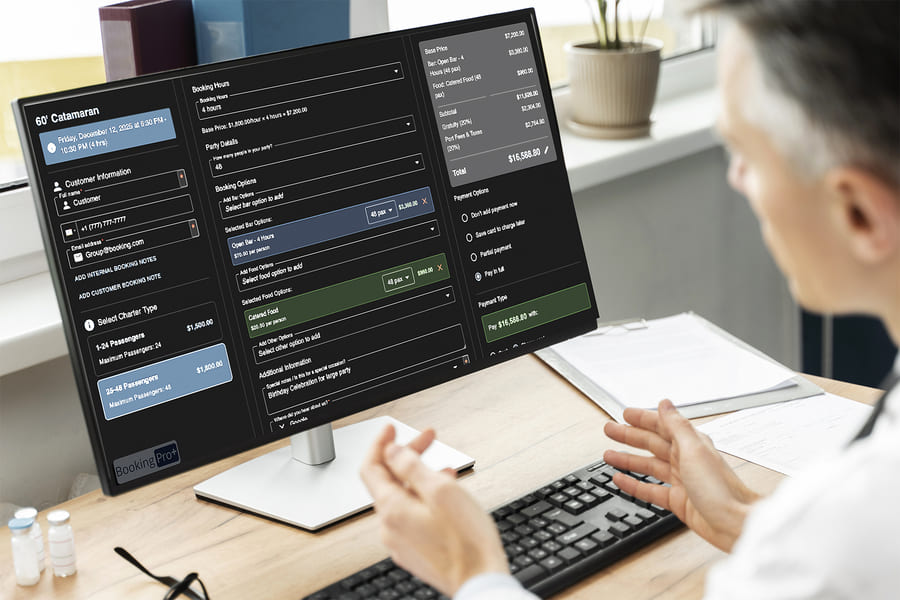
This guide is an operator-to-operator checklist of the features that actually matter in the real world, plus the pricing pitfalls to avoid when you’re comparing options. (And yes, we’ll tell you what to look for even if you’re considering Booking Pro+.)
The best tour operator booking software should do three things:
If any of those pillars are missing, you’ll feel it in cancellations, bad reviews, refund chaos, overbookings, or staff burnout.
What to look for:
Why it matters:
In 2026, customers expect the same frictionless checkout they get from big travel sites. If your flow is clunky, you’ll lose bookings even if your tours are better.
If you do charters, transportation, private tours, events, or anything custom, quoting is not optional, it’s your sales engine.
What to look for:
Operator reality check:
If your team spends 20 minutes building each quote and another 20 chasing it, you’re paying for it twice—labor cost and lost sales.
Money is where “simple booking tools” fall apart.
What to look for:
Why it matters:
Refunds and chargebacks are already stressful; your platform shouldn’t make them worse.
This is where great operators win and where bad software costs you reviews.
What to look for:
Why it matters:
The moment you stop “running the tour” and start “running the spreadsheet,” you lose control of the day.
How Booking Pro+ approaches this:
Booking Pro+ emphasizes a built-in manifest and mobile-friendly operations flow designed for tours, transportation, and events, so your booking list and your operational reality stay connected.
Your guides and ops staff live on their phones. Your software should respect that.
What to look for:
Operator reality check:
If the field team can’t see changes, they’ll improvise. Improvisation is where mistakes happen.
In 2026, operators can’t rely on one channel. You need repeat business, referrals, and clean follow-up.
What to look for:
Why it matters:
If you’re paying for separate email, SMS, CRM, and promo tools, costs and complexity creep fast.
How Booking Pro+ positions this:
Booking Pro+ markets “built-in marketing tools” as part of the all-in-one stack, which is attractive if you’re tired of juggling multiple systems.
If you take walk-ins, call-in payments, gift cards, vouchers, or sell merch, a POS layer matters.
What to look for:
You don’t need “pretty charts.” You need answers.
What to look for:
Operator reality check:
If you can’t tell what’s profitable, you’re guessing and guessing gets expensive.
You’ll likely connect to something: payments, email, accounting, analytics, partner channels, etc.
What to look for:
How Booking Pro+ positions this:
Booking Pro+ highlights API integrations and partner integration support, useful if your business depends on partners or you want flexibility long-term.
This is the unsexy feature that becomes the most important one at 8:05 AM when something goes wrong.
What to look for:
How Booking Pro+ positions this:
Booking Pro+ promotes 24/7 support as part of the package, especially relevant if you’re global or run experiences outside typical business hours.
You told me not to include market ranges or competitor pricing—and that’s fine. You can still avoid the traps by asking the right questions.
Many platforms advertise a monthly price that sounds reasonable, until you realize the features you need to operate (manifests, marketing, reporting, POS, integrations) are add-ons.
What to ask on every demo:
Things like staff access, extra calendars/resources, or multiple locations can quietly increase cost.
Ask:
If your business needs integrations, pricing isn’t just the connector, it’s maintenance and support ownership.
Ask:
Even if migration is “available,” it may not include what you assume (historic bookings, customer lists, waivers, products, variants).
Ask:
If you sign long-term before you’ve run a real season in the software, you’re taking unnecessary risk.
Ask:
Since you want “Booking Pro+ first but fair,” here’s a comparison approach that doesn’t require calling anyone “bad”:
Then ask: Which platform gives me the highest score without forcing extra tools?
That’s usually where “all-in-one” platforms win, less complexity, fewer points of failure.
Based on the features you want emphasized (manifest, quoting, accounting/reporting, marketing tools, POS, mobility, integrations, support), Booking Pro+ tends to make the most sense for operators who:
The fastest way to know if a platform is “best” is to run your real workflow through it, from quote to payment to manifest to check-in.
If you want, book a demo and bring these three real examples:
A good platform will handle all three without your team reaching for spreadsheets.
Book a demo with Booking Pro+ and pressure-test the features that matter most to your operation.